Simple weekly tables
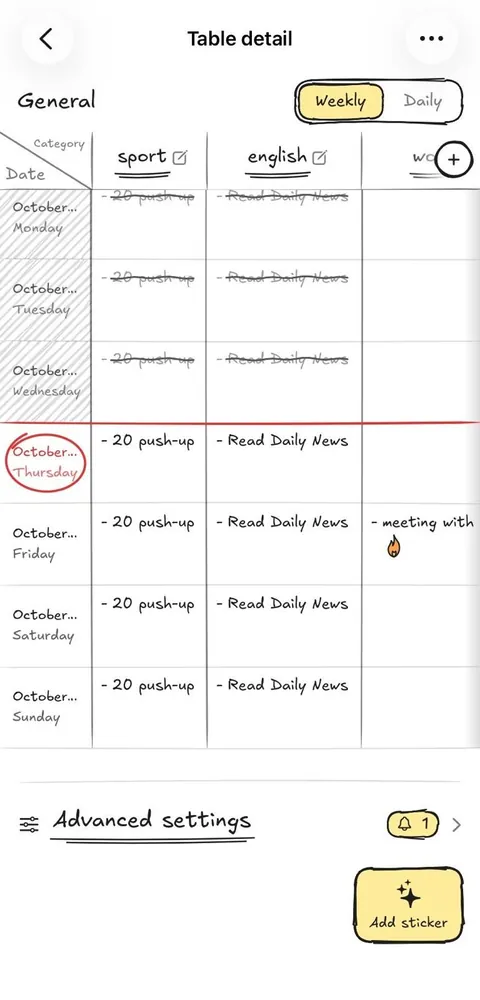
Plan your routines in a table, one row per day. Switch between weekly and daily views.
Corenk is a hand-drawn weekly habit tracker. Your week is one table, with the days as rows and your categories as columns.
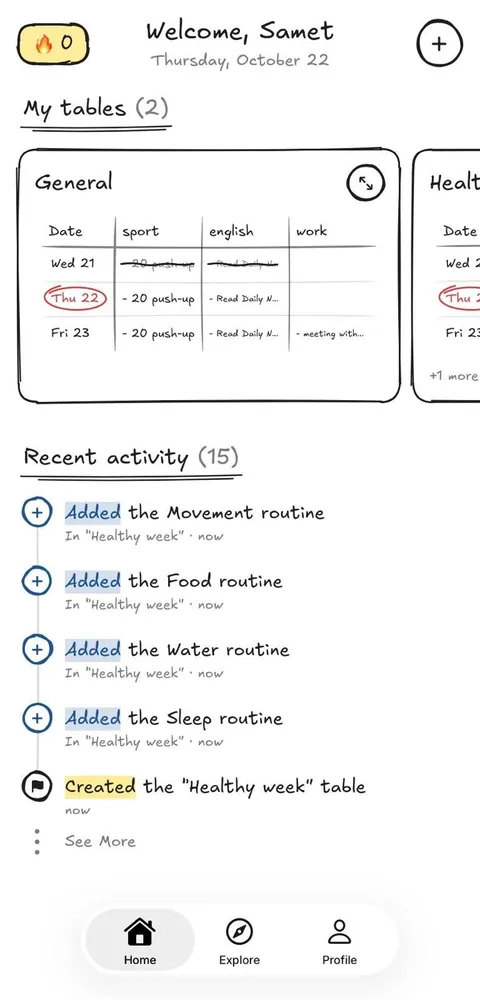
Cross routines out as you finish them, keep your streak, add stickers and check your day from a widget. Looking for ideas? The Explore feed suggests routines you can add to your table.


Features (3)
Corenk keeps habit tracking light. Create a table, add the routines that matter and fill in your days.
Plan your routines in a table, one row per day. Switch between weekly and daily views.
Swipe across a routine to strike it through. Today stays circled in red, so you always know where you are.
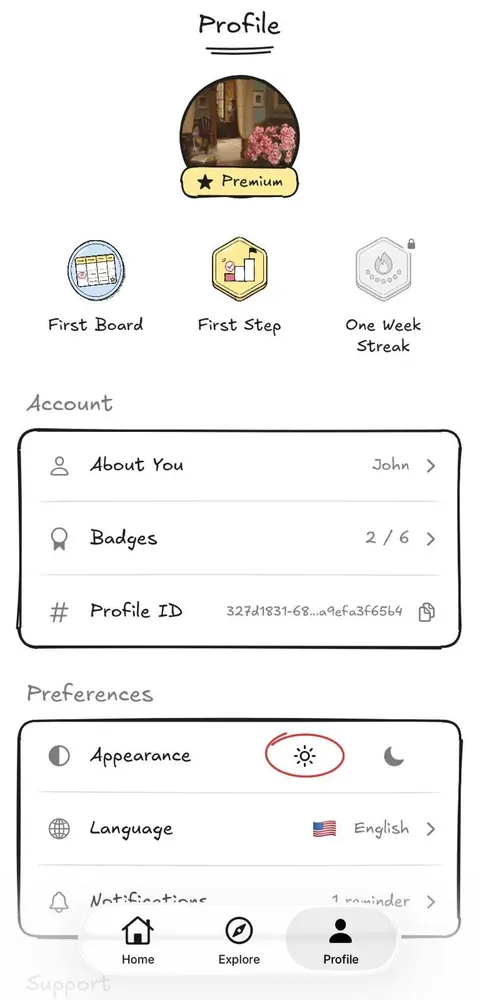
Keep your streak alive, add stickers to your tables and collect badges along the way.
Corenk is a weekly habit tracker that looks hand-drawn. Your week is one table, with the days as rows and your categories as columns. You cross routines out as you finish them, keep a streak and add stickers.
Yes. The free plan gives you one weekly table with up to four categories and ten tasks a day, plus every widget. Premium removes those limits and adds custom tables, every look and all stickers, as a monthly or yearly subscription.
Corenk is available for iPhone and iPad on the App Store (iOS 17.4 or later) and for Android on Google Play (Android 8 or later). It speaks English, Turkish, German, Polish and Spanish.
No. There is no sign-up and no email address to enter. You open the app and start your first table.
Yes. Our free printable weekly habit tracker and weekly spending log are PDFs in A4 and Letter, with a Monday or Sunday start. Get them on our printables page (in English for now).
A table is a board you fill in. A weekly table has the seven days of the week as rows and your categories as columns. A custom table has rows you name yourself.
Swipe across the routine or press and hold it. On a checkbox table you can also tap its checkbox. Today and the past days of this week can be filled in, future days can't.
A new routine is only on the days you pick for it. Turn on “Repeat every week” on the routine sheet and it comes back every week.
Your streak counts the days in a row on which every routine of your weekly tables was done. Days with nothing planned don't break it. Custom tables don't count toward the streak.
Badges come with your first table, your first completed routine, a number of completed routines and streaks of days. You find all of them under Badges in Profile.
In a table's advanced settings, add a reminder for the whole table, one category or one routine, at a time of day on the weekdays you choose. Notifications have to be allowed in Profile → Notifications.
Touch and hold your Home Screen, tap Edit, then Add Widget, and search for Corenk. Profile → Widget Guide shows every widget and the steps.
Everything you add stays on this phone and is never sent to us or anyone else. You can erase it all with Profile → Delete All Data.
Premium unlocks more than one weekly table, custom tables, more than four categories per table, every look and colour, and all stickers. On iPhone and iPad it also adds reminders that ring like an alarm. Widgets are free on every plan.
Open Profile → Premium and tap Restore purchases, signed in with the same Apple Account. On Android, use the same Google account.
Support
Our team is here to help. Feel free to contact us anytime.
Contact Support