Share a table as an image
By 40585 Labs, makers of Corenk · Updated
Any table in Corenk can become an image: the table drawn over a background or over your own photo, ready to send or post. It can be the routines you kept today, the week's work, a meal plan or the places you saw on a trip. Open the table, choose Share table, pick what goes in, and share.


What you can share
Corenk is not only for habits. A table holds anything you would write down and cross off, and every table shares the same way.
- Daily and weekly routines. Today's row with what you crossed off, or the whole week.
- Tasks and work. A work week: what you planned on Monday and what is done by Friday.
- Meals. A week of breakfasts, lunches and dinners, to send to the people you eat with.
- Training. The week's sessions, over a photo from the gym or the run.
- Reading and study. The books and lessons of the week.
- Trips. The places to see in a city, over a photo you took there.
- Lists of any kind. A packing list, a shopping list, a list of things to do this month.
How to share a table
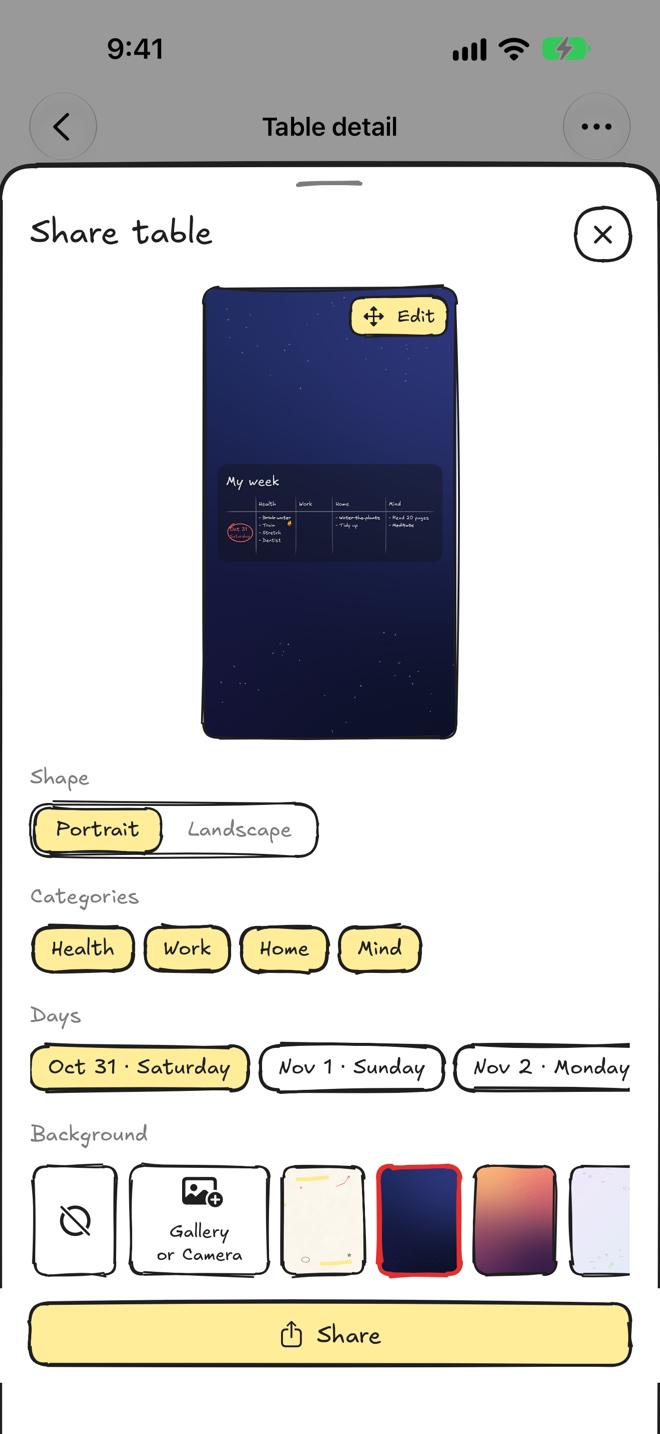
- Open the table and choose Share table. A preview of the image appears at the top of the screen.
- Pick the shape. Portrait for a phone screen or a pin, Landscape for a wide image.
- Pick what goes in. Under Categories and Days, tap the ones you want. A weekly table starts on today alone.
- Pick the background. Choose one of the backgrounds, or tap Gallery or Camera to use your own photo.
- Move things into place. Tap Edit on the preview. Drag with one finger to move the photo or the table, and use two fingers to zoom in or out.
- Tap Share. Send the image to a friend, save it, or post it.
An example: a day in a city
We posted these two on Pinterest. Each one is a table of places to see, drawn over a photo of the city, in the same layout as an image shared from Corenk. We set the large titles ourselves for Pinterest; the app writes the table's own name.
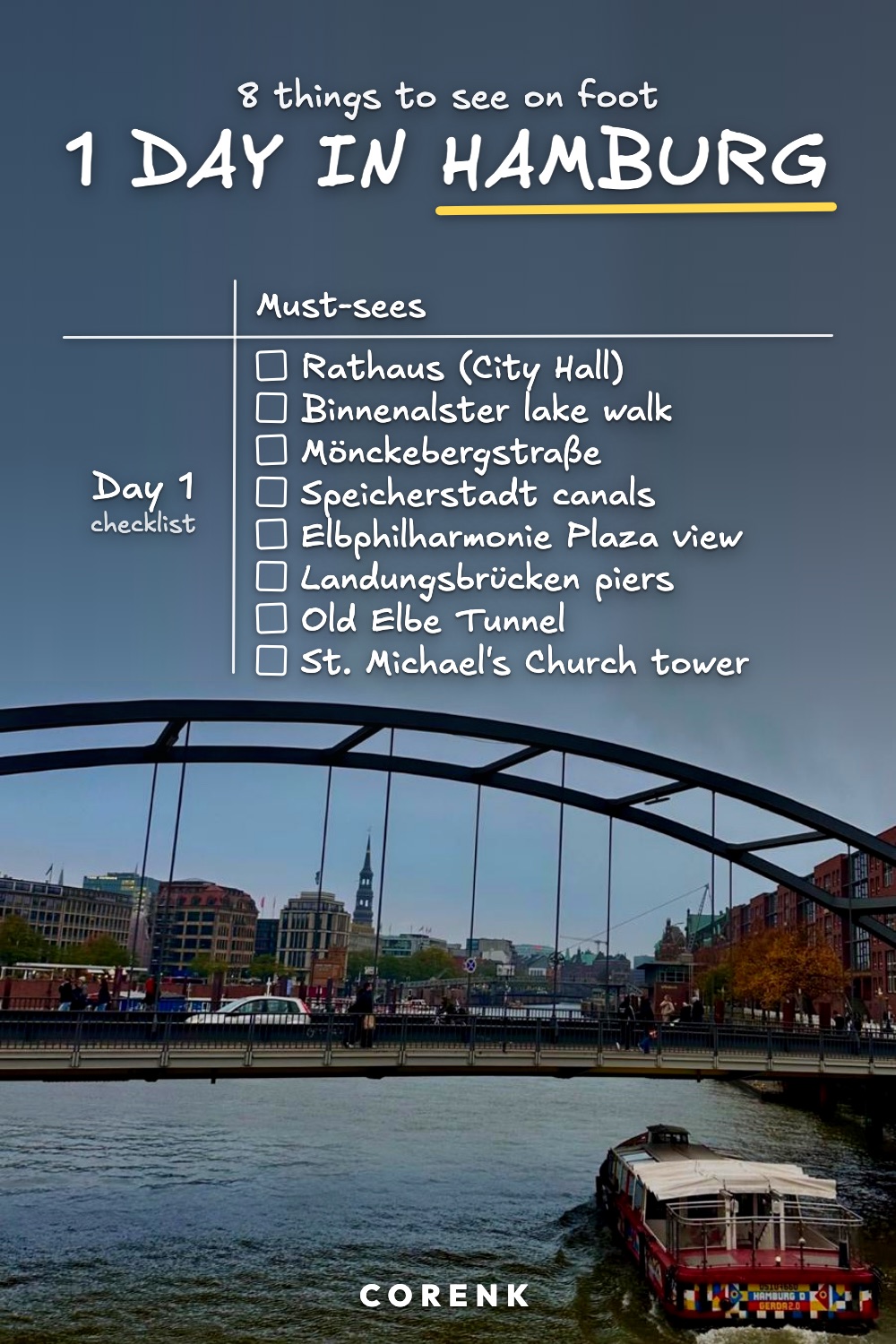
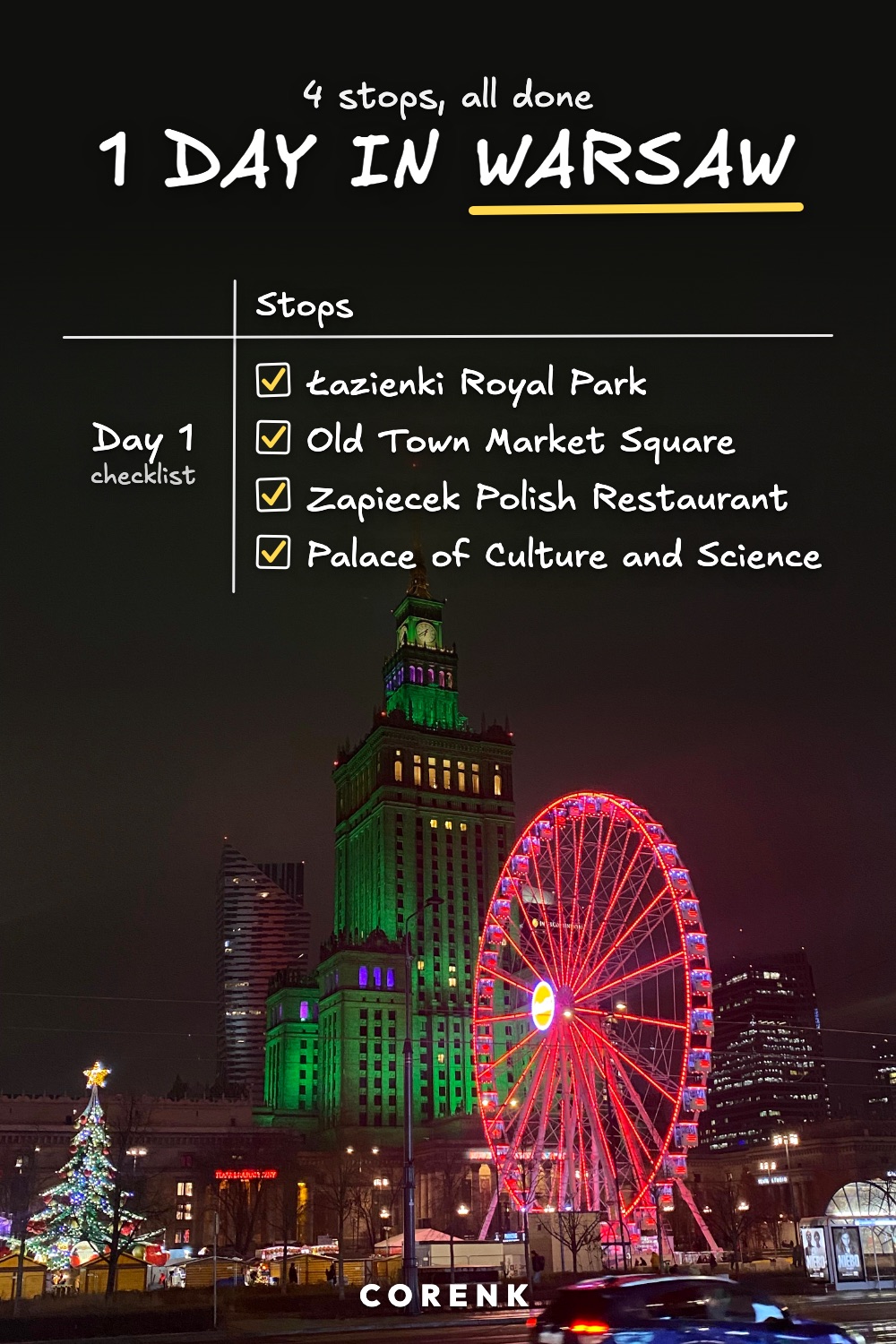
To make one like it:
- Make a table for the trip. Add a category and name it after the city.
- Write the places as routines. Put each one under the day you will be there.
- Cross them off as you go. What you have crossed off stays crossed off in the image.
- Share it over a photo from the trip. Choose Share table, then Gallery or Camera.
The steps are the same for any other table: swap the city for your week, your meals or your training, and the photo for one that fits.
What you can change for the image
- The card behind the table. Turn on See-through card to let the photo show through.
- The look of the table. Customize table changes it for this image only; the table itself stays as it is.
- The position. In Edit, Photo and Table move separately, and Reset puts them back.
Questions
What kinds of tables can I share?
Any table you keep in Corenk: a week of routines, a work week, a meal plan, a training week, a reading and study table, or one you made for a trip, a packing list or anything else.
Can I put my own photo behind the table?
Yes. Under Background, choose Gallery or Camera and pick or take a photo. The table is drawn on top of it.
Does sharing change the table itself?
No. What you pick on the Share table screen, and anything under Customize table, applies only to that image. The table stays as it is.
Can I share one day instead of the whole week?
Yes. A weekly table starts on today alone. Add other days under Days, and leave out any category under Categories.
Can the image be wide instead of tall?
Yes. Under Shape, choose Portrait or Landscape.
Do the backgrounds cost anything?
No. Every background is free on every plan.
Get the app
Corenk is a hand-drawn weekly planner and habit tracker: your week is one table, and you cross things off as you do them. It is on the App Store. More about Corenk, or start on paper with our free weekly habit tracker.